
Biometric Photo Online: Create a Biometric Passport,visa or ID Photo
Last Update: June 16, 2026
Need a biometric photo for a passport, visa, residence card, or ID application? 123PassportPhoto works as an online biometric photo maker that helps you create a biometric-style photo in the correct country and document format.The tool helps with formatting, cropping, and face positioning, but it does not change your real appearance.
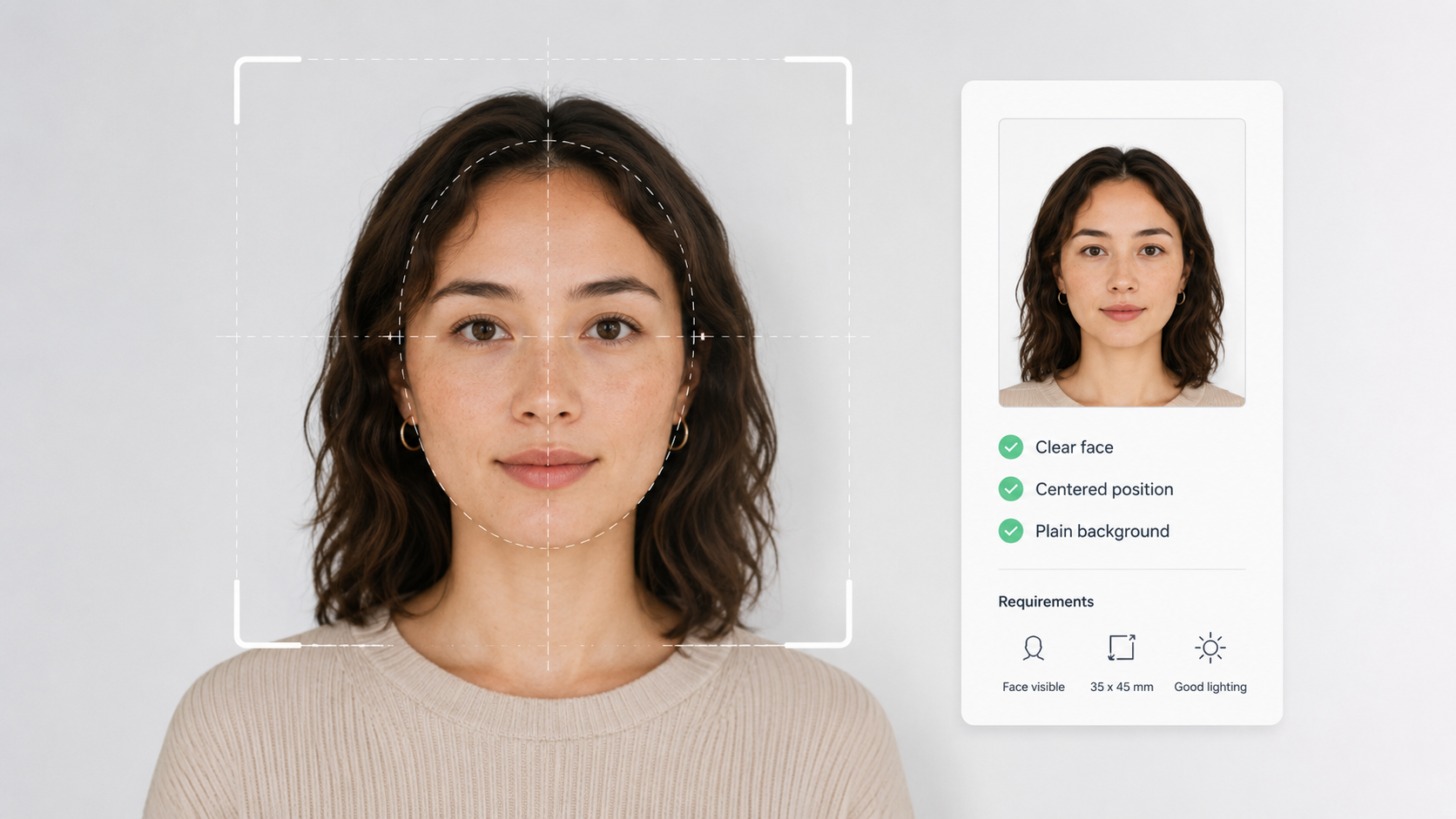
How Does 123PassportPhoto Create a Biometric Photo?
123PassportPhoto makes it faster and easier to prepare a biometric-style passport, visa, or ID photo online. Instead of manually guessing the size, crop, or layout, you can follow a simple process.
1. Upload a Clear Photo
Take a new photo or upload an existing image from your phone, computer, or camera. Use a clear, recent, front-facing photo with good lighting and a plain background.
Avoid screenshots, scanned printed photos, filtered selfies, or compressed images from messaging apps.
2. Select Country and Document Type
Choose the country and document type, such as passport, visa, ID card, residence permit, or another official document. This helps prepare the photo in the correct biometric photo format.
3. Crop and Download Your Photo
Adjust the crop so your face is centered and the photo matches the selected format. Then download the finished biometric-style photo for digital upload or printing, depending on your application route.
If you want a broader guide to the normal online photo-making process, read our passport size photo maker online guide.
Why Choose 123PassportPhoto as Your Online Biometric Photo Maker?
123PassportPhoto helps you create a biometric photo online faster and more easily. It is useful when you need a photo for an official document but do not want to manually crop, resize, and format the image yourself.
Use 123PassportPhoto to:
- Create biometric passport photos online
- Prepare biometric visa photos
- Make ID card and residence permit photos
- Crop the photo to the selected size
- Adjust face position and framing
- Download a digital or printable file
- Reduce common size and cropping mistakes
123PassportPhoto helps format your photo for official identity use, but it does not retouch your face, reshape your features, or change your real appearance.
How to Prepare Yourself for a Biometric Photo
A good original image makes the final biometric photo much easier to prepare. Before uploading your photo, check your face position, lighting, background, and expression.
For more details about acceptable background colours, lighting, and shadows, read our passport photo background guide.
What Is a Biometric Photo?
A biometric photo is a clear identification photo used for official identity documents and facial recognition systems. It helps authorities compare your photo with your real appearance and confirm your identity.
Biometric photos are commonly used for:
- Passports
- Visas
- National ID cards
- Residence permits
- Work permits
- Driver’s licenses
- Immigration documents
- Government identity applications
- Online identity verification
A biometric photo is not a casual portrait or social media profile picture. It should be clear, recent, front-facing, and suitable for official identity use.
Biometric Photo vs Regular Photo
A regular photo may include a smile, pose, angle, shadow, filter, or busy background. A biometric photo is stricter because it is used for identity verification.
| Photo Type | Main Purpose | Typical Features |
|---|---|---|
| Regular photo | Personal, social, or casual use | Any pose, background, expression, or style |
| Biometric photo | Official identity verification | Front-facing face, neutral expression, clear background, correct size |
For a biometric photo, the goal is not to look artistic or edited. The goal is to show your real current appearance clearly.
When Do You Need a Biometric Photo?
You may need a biometric photo when applying for an official document or service that uses identity verification.
Biometric Passport Photo
Many passport applications require a clear front-facing photo that can be used for identity checks. The required size, background, and digital or printed format depend on the country.
Biometric Visa Photo
Visa applications may require biometric-style photos for travel, immigration, study, work, or residence purposes. Visa photo requirements can differ from passport photo requirements, so always choose the correct country and visa type.
Biometric ID Photo
National ID cards, residence cards, local identity documents, and other government-issued IDs may require biometric photos.
Biometric Residence Permit Photo
Residence permits, work permits, and immigration documents often use biometric photos to confirm identity during application or renewal.
Biometric Photo and AI Editing
AI tools can help with cropping, resizing, background checks, and file preparation. However, AI should not change your real appearance in a biometric photo.
Do not use AI to:
- Change your face shape
- Smooth skin heavily
- Enlarge eyes
- Change expression
- Add or remove hair
- Replace your face
- Generate a fake identity photo
- Make you look like a different person
A biometric photo should show your real, current appearance. If an edit changes how you look, do not use it for an official document.
FAQ About Biometric Photos
What is a biometric photo?
A biometric photo is a clear identification photo used for official identity verification, such as passports, visas, ID cards, residence permits, and immigration documents.
What is a biometric photo maker?
A biometric photo maker is an online tool that helps prepare a photo for official identity documents such as passports, visas, ID cards, or residence permits. It can help crop the photo, adjust the format, and prepare a digital or printable file, but it should not change your real appearance.
Is a biometric photo the same as a passport photo?
A passport photo can be a biometric photo if it meets the required identity photo rules. However, requirements vary by country and document type.
Can I create a biometric photo online?
Yes. You can use 123PassportPhoto to help you to generate a biometric photo that meets the requirements.
What should a biometric photo look like?
It should usually be front-facing, clear, recent, evenly lit, and taken against a plain background. The face should be visible and not heavily edited.
Can I smile in a biometric photo?
Some countries allow a natural expression, while others require a neutral expression. Avoid wide smiles or exaggerated facial expressions.
Can I wear glasses in a biometric photo?
Rules vary. If glasses are allowed, your eyes should be clearly visible with no glare, tint, or frames covering the eyes.
Can I use a phone photo for a biometric photo?
Yes, if the photo is clear, sharp, recent, and suitable for official use. Use the original image rather than a compressed copy.
Can AI make a biometric photo?
AI can help with cropping, resizing, background checks, and formatting, but it should not change your face or generate a fake identity photo.
What size is a biometric photo?
There is no single universal biometric photo size. The required size depends on the country and document type.
Create Your Biometric Photo with an Online Biometric Photo Maker
123PassportPhoto helps prepare the correct format for official identity use, but it does not change your real appearance. With 123PassportPhoto as your online biometric photo maker, you can create a biometric-style passport, visa, or ID photo in several seconds.
This document is rated 4.8 / 5 - 37 Votes