Zambia Passport (1.5x2 inch) Photo Size Requirements and Online Tool

Make Zambia Passport Photos Online Now »
| Passport picture size | Width: 1.5 inch, Height: 2 inch |
| Resolution (DPI) | 600 |
| Background color | White |
| Printable photo | Yes |
| Digital photo for online submission | Yes |
| Digital photo size | Width: 900 pixels , Height: 1200 pixels |
| Photo Paper type | matte |
Do not worry about the photo size requirements. Our online tool makes correct photos, ensuring the photo size and head size are correct. Background will be enhanced as well.
Last Update: June 8, 2026
Photo Quality Requirements
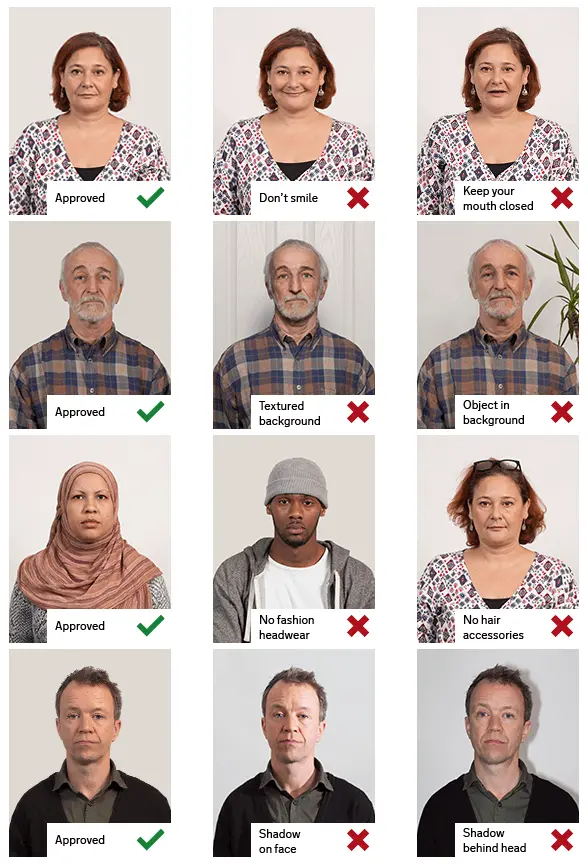
The submitted photo must be in color. It must have been taken within the last six months and must not be blurred. The photo must have a resolution of at least 600 dpi.
Head Position and Facial Expression
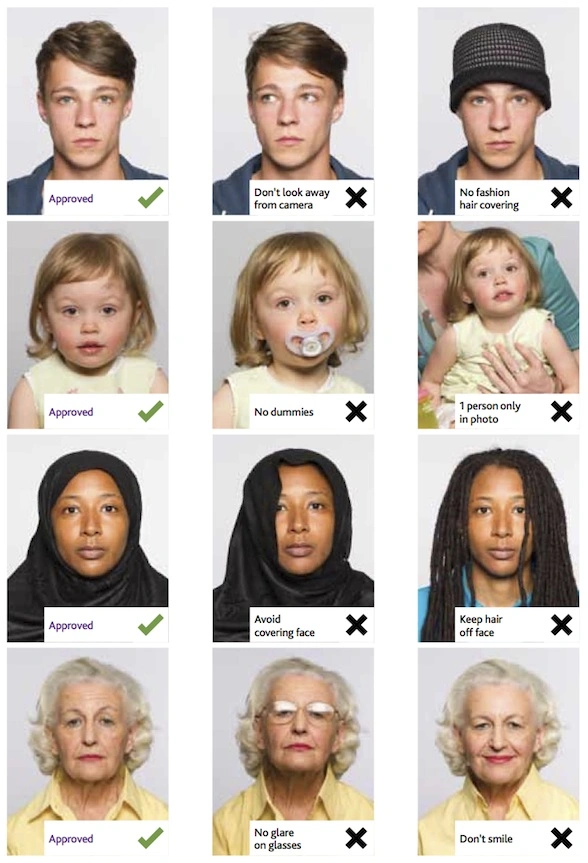
The applicant’s head must be positioned straight and facing forward. The applicant must not smile in the photo. The eyes must be clearly visible.
Background Requirements
The photo must be taken against a white background.
Glasses and Headwear
Glasses are allowed only if they do not obscure the eyes and there is no glare in the photo. Headwear is not permitted, except when worn for religious or cultural reasons.
Clothing and Accessories
The applicant’s clothing must contrast with the white background. White tops must not be worn. Earrings are not permitted.
Facial Hair
A beard is permitted if it represents the applicant’s everyday appearance.
If you want to make passport/visa photos for other countries, click the button below.
Make Passport/Visa Photo for Other Countries
How to make Zambia Passport photo online
Step 1: Take a picture with a digital camera or a smartphone
Make sure someone takes your passport photo for you. Selfies are not accepted. Make use of your tripod if you have one. By using a tripod, you will be able to keep the camera level and steady. Ideally, the person should be around 1 meter away from the camera.
Step 2: Choose a venue with appropriate lighting
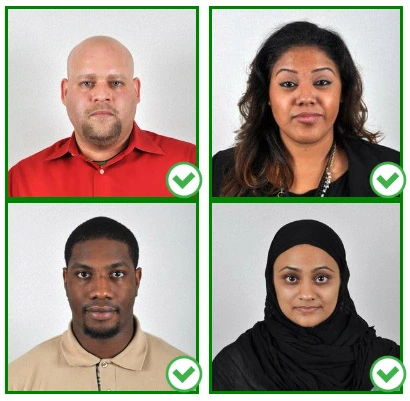
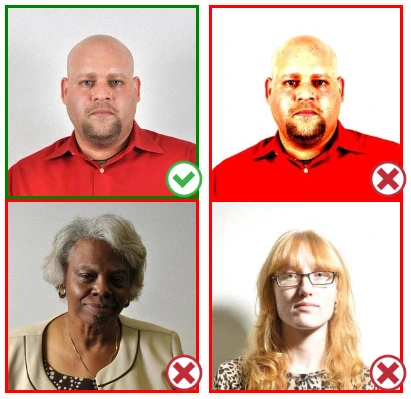
Face a bright window or the door when taking a photo. In this way, shadows can be avoided on the face and in the background. It is essential that the face is evenly lit. Ensure that the face is free of shadows and glares.
Note: You do not need to worry about the background, since our online passport photo generator will automatically do it for you.
Step 3: Dress appropriately for your passport photo
Uniforms should not be worn. Put on regular street clothes for your photo.
Eyeglasses should not be worn. You should remove any sunglasses, tinted glasses, or glasses that you wear if you are taking a passport photo.
Ensure that your face is fully visible. Make sure your hair doesn't cover your face or obscure your eyes. In the case of very long bangs covering your eyebrows, pin them back with bobby pins. Although it's better to show your ears as well, that won't stop your photo from being accepted.
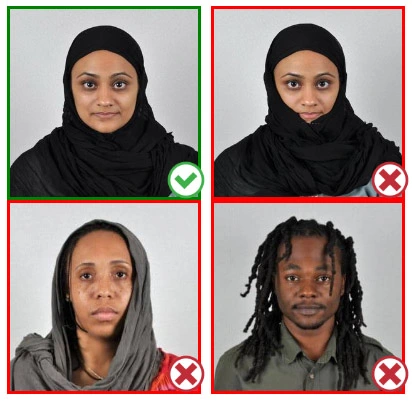
Passport photos don't allow hats unless they're religious headgear such as a headscarf or yarmulke.
Step 4: Pose for a passport photo
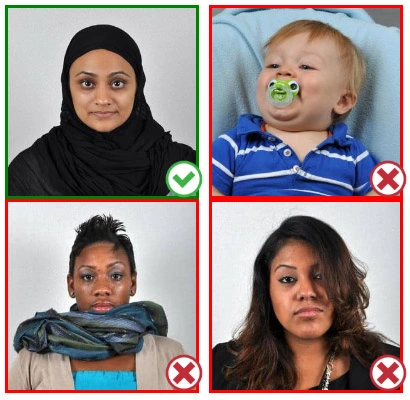
Face the camera straight on and look straight at it. Avoid tilting or rotating the head.
It is important that the shoulders are visible, and there should be enough space around the head to crop the picture.
Make sure the camera is at the same level as the head.
Step 5: Maintain neutral facial expressions
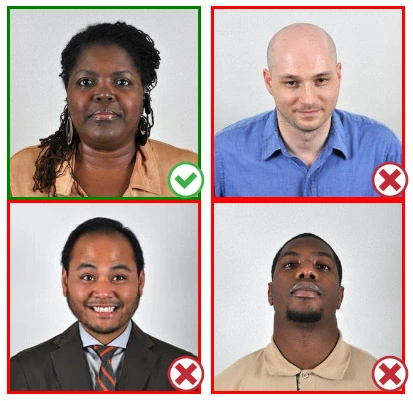
The government prefers you to have a neutral facial expression.
Under the new international passport rules, it is usually not acceptable to smile or have your mouth open.
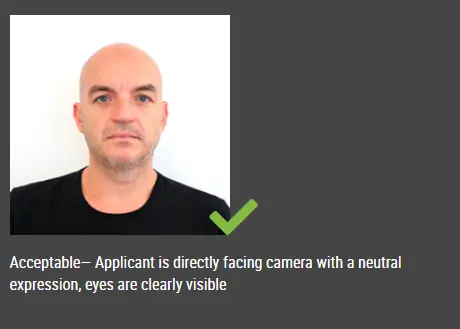
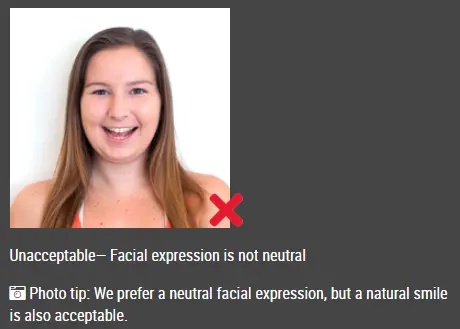
Good and bad examples of passport photos