New Zealand Visa (online applications) (33x44 mm) Photo Size Requirements and Online Tool
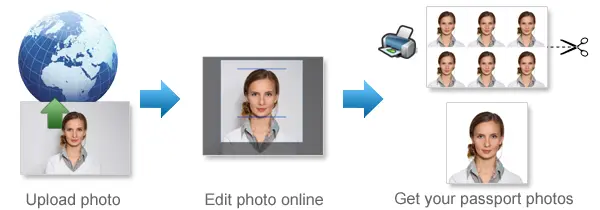
Make New Zealand Visa (online applications) Photos Online Now »
| Passport picture size | Width: 33 mm, Height: 44 mm |
| Resolution (DPI) | 600 |
| Background color | White |
| Printable photo | Yes |
| Digital photo for online submission | Yes |
| Digital photo size | Width: 1800 pixels , Height: 2400 pixels |
| Photo Paper type | matte |
 (1).jpg)
Do not worry about the photo size requirements. Our online tool makes correct photos, ensuring the photo size and head size are correct. Background will be enhanced as well.
Last Update: August 11, 2026
New Zealand Visa Photo Requirements for Online Applications
Your photo must meet Immigration New Zealand’s photo standards. If your photo does not clearly show your face or does not meet the required specifications, your application may take longer to process and you may be asked to provide a new photo.
General Photo Requirements
Your New Zealand visa photo must:
-
Clearly show your current appearance
-
Have been taken within the last 6 months
-
Be an original photo of you
-
Be natural and unedited
-
Not be a photo or scan of another photograph
Do not digitally alter or enhance your photo. Photos that have been edited using AI or other image-enhancement tools may not be accepted and could delay your visa or NZeTA application.
Digital Photo Size and Format
For an online visa application, your photo must be:
-
Between 512 KB and 3.14 MB
-
Taken in portrait orientation
-
In a 3:4 aspect ratio
-
Saved as a JPG or JPEG file
Make sure the image is correctly oriented and your face can be clearly identified.
Uploading Your Visa Photo
When you upload your photo with your online application, the system may display an error if the image does not meet the required standards. If this happens, correct the issue or use a new photo before submitting your application.
For the best results, start with a clear, recent photo that meets all New Zealand visa photo requirements.
Use 123PassportPhoto.com to Get a Compliant New Zealand Visa Photo
Use 123PassportPhoto.com to prepare your photo according to New Zealand visa photo size and format requirements. Simply upload a recent, clear photo, select New Zealand Visa (online applications), and follow the instructions to create a correctly sized photo ready for your online application.
If you want to make passport/visa photos for other countries, click the button below.
Make Passport/Visa Photo for Other Countries
How to make New Zealand Visa (online applications) photo online
Step 1: Take a picture with a digital camera or a smartphone
Make sure someone takes your passport photo for you. Selfies are not accepted. Make use of your tripod if you have one. By using a tripod, you will be able to keep the camera level and steady. Ideally, the person should be around 1 meter away from the camera.
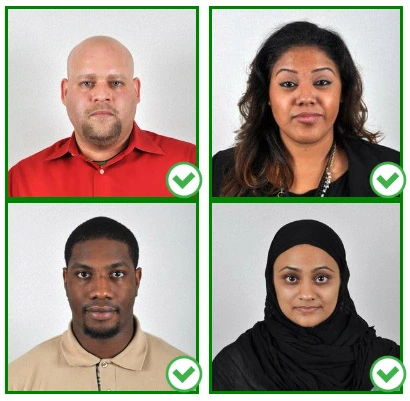
Step 2: Choose a venue with appropriate lighting
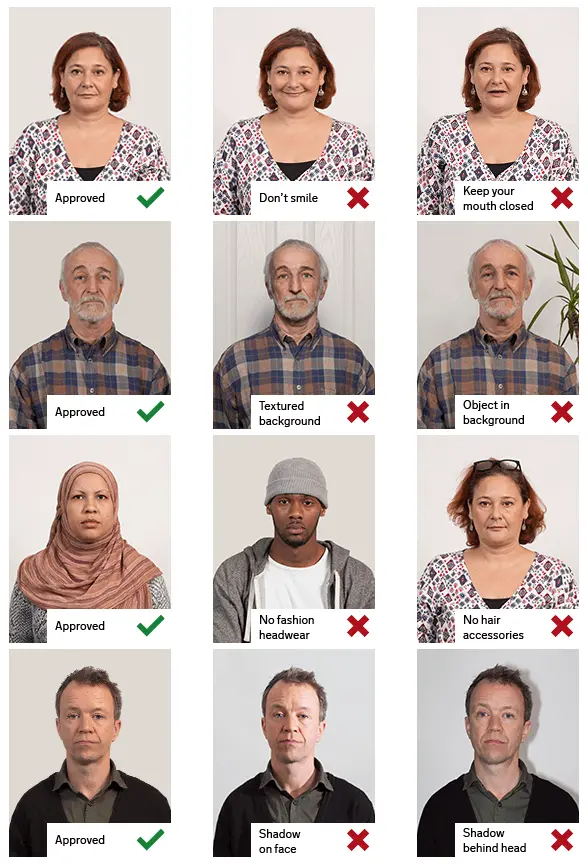
Face a bright window or the door when taking a photo. In this way, shadows can be avoided on the face and in the background. It is essential that the face is evenly lit. Ensure that the face is free of shadows and glares.
Note: You do not need to worry about the background, since our online passport photo generator will automatically do it for you.
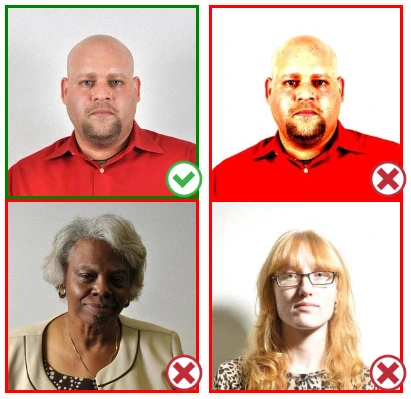
Step 3: Dress appropriately for your passport photo
Uniforms should not be worn. Put on regular street clothes for your photo.
Eyeglasses should not be worn. You should remove any sunglasses, tinted glasses, or glasses that you wear if you are taking a passport photo.
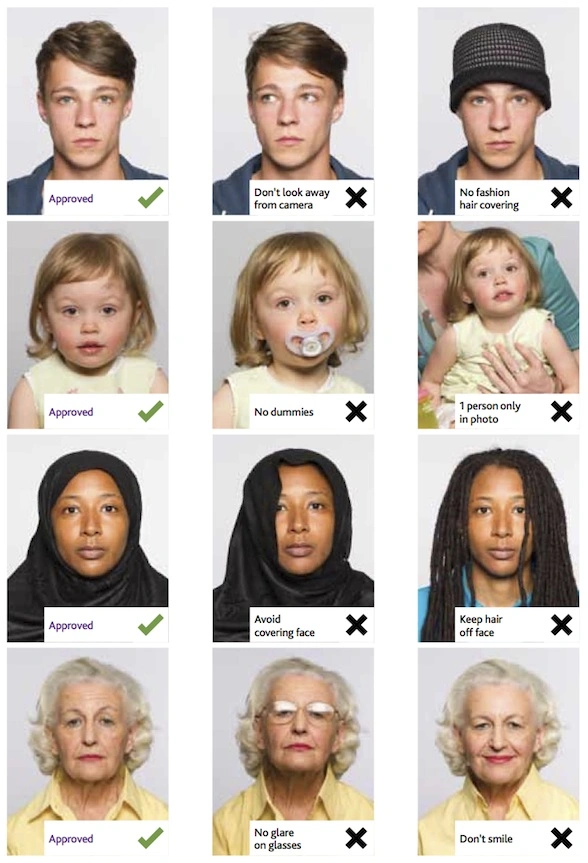
Ensure that your face is fully visible. Make sure your hair doesn't cover your face or obscure your eyes. In the case of very long bangs covering your eyebrows, pin them back with bobby pins. Although it's better to show your ears as well, that won't stop your photo from being accepted.
Passport photos don't allow hats unless they're religious headgear such as a headscarf or yarmulke.
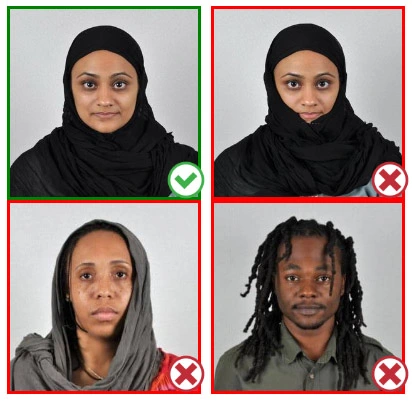
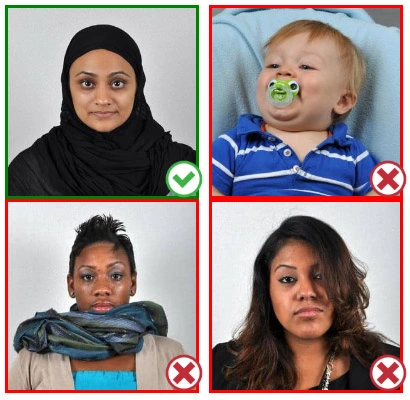
Step 4: Pose for a passport photo
Face the camera straight on and look straight at it. Avoid tilting or rotating the head.
It is important that the shoulders are visible, and there should be enough space around the head to crop the picture.
Make sure the camera is at the same level as the head.
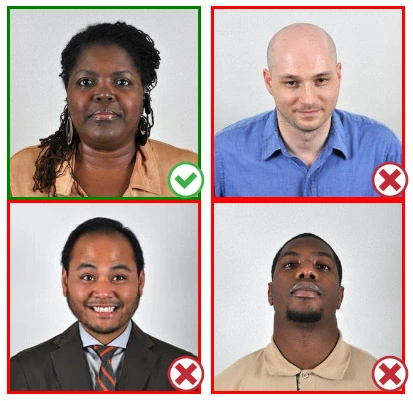
Step 5: Maintain neutral facial expressions
The government prefers you to have a neutral facial expression.
Under the new international passport rules, it is usually not acceptable to smile or have your mouth open.
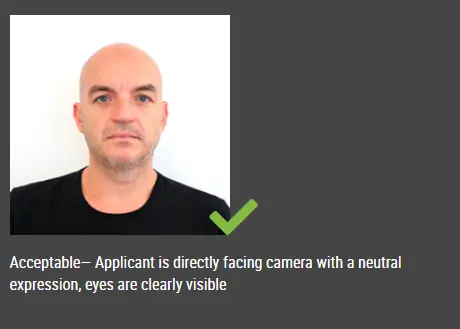
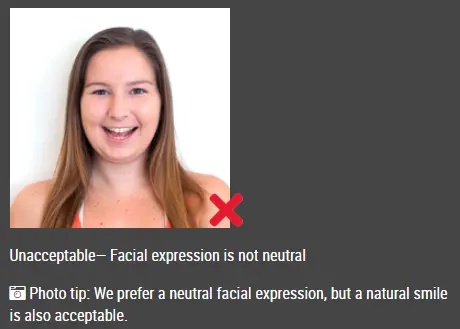
Good and bad examples of passport photos
Make New Zealand Visa (online applications) Photo Online Now »