Aland Islands Passport (36x47 mm) Photo Size Requirements and Online Tool

Make Aland Islands Passport Photos Online Now »
| Passport picture size | Width: 36 mm, Height: 47 mm |
| Resolution (DPI) | 600 |
| Background color | light grey |
| Printable photo | Yes |
| Digital photo for online submission | Yes |
| Digital photo size | Width: 500 pixels , Height: 653 pixels |
| Photo Paper type | matte |
Do not worry about the photo size requirements. Our online tool makes correct photos, ensuring the photo size and head size are correct. Background will be enhanced as well.
Last Update: June 7, 2026
Photograph format
The photograph may be either black-and-white or colour.
For electronic submissions, the photo must meet these exact requirements:
- Size: 500 × 653 pixels
- Format: JPEG only, not JPEG2000
- File extension: .jpg or .jpeg
- Maximum file size: 250 KB
Even a one-pixel difference in the image dimensions will not be accepted.
Technical requirements
The photograph must be recent, taken no more than six months ago.
It must not be edited or digitally altered in any way that changes the person’s appearance or raises doubts about the authenticity of the image. Digital make-up is not allowed.
The entire face must be sharp and in focus. The image must not be blurry, grainy, distorted, or affected by colour defects. The depth of field must cover the face from the ears to the tip of the nose.
The photograph must not contain optical or technical distortions that change the proportions of the face or make visual or computerized identification more difficult.
Image quality and resolution
Poor image quality can result from excessive compression, incorrect camera focus, low camera resolution, or overly strong contrast.
Over-compression may create visible JPEG artefacts. Poor focus may make the face blurry, while low resolution may cause graininess. Excessive contrast may remove important facial details.
Wide-angle lenses, commonly found in smartphones and tablets, can cause facial distortion when the photo is taken too close. This may make the nose and other features appear larger than they really are.
Dimensions and positioning
The head size is measured from the crown of the head to the chin. Hair and beard are not included in this measurement. If needed, the crown and chin positions are estimated.
For electronic photos:
- The distance from the crown of the head to the chin must be 445–500 pixels.
- There must be 56–84 pixels of space above the crown.
- There must be 96–124 pixels of space below the chin.
- The head must be centered.
- The center line of the face may differ from the photo’s center line by no more than 21 pixels.
There is no specific requirement for face width. As long as the face length meets the rules, the width does not need separate attention.
Hair and beard do not need to be fully visible, although it is recommended. The most important requirement is that the face length, excluding hair and beard, falls within the approved range.
Posture
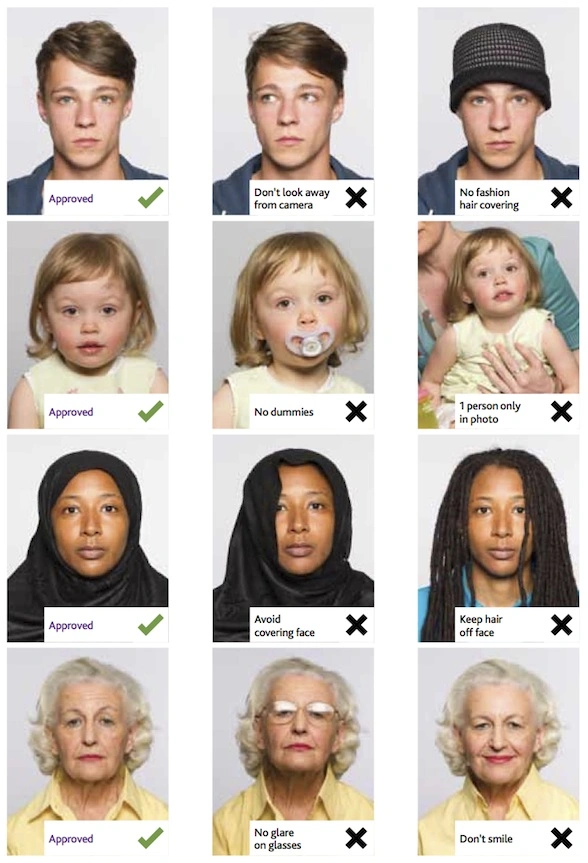
The head must be straight and must not be tilted sideways, forward, or backward. The face and eyes must look directly at the camera.
The shoulders should face the camera and be aligned with the face. Portrait-style photos where the person looks over their shoulder are not allowed.
Exceptions may be made for medical reasons. In such cases, the photograph should be taken in the way that best allows identification. Correct face positioning is more important than shoulder position.
Both ears do not need to be visible, as ears may naturally differ in position, size, or shape.
Lighting
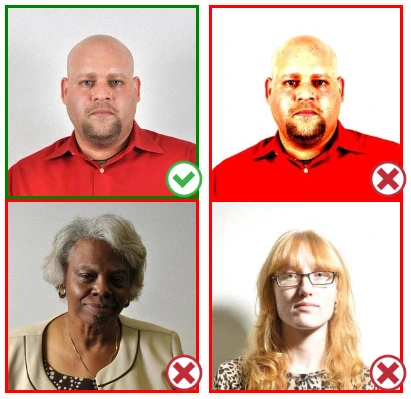
Lighting must be even across the entire face.
There must be:
- No shadows on the face or background
- No overexposed white areas
- No red-eye effect
- No unnatural colour tones, such as blue or red hues
- No overexposure or underexposure
The face, especially the eyes, must be clearly visible.
Face, expression, and visibility
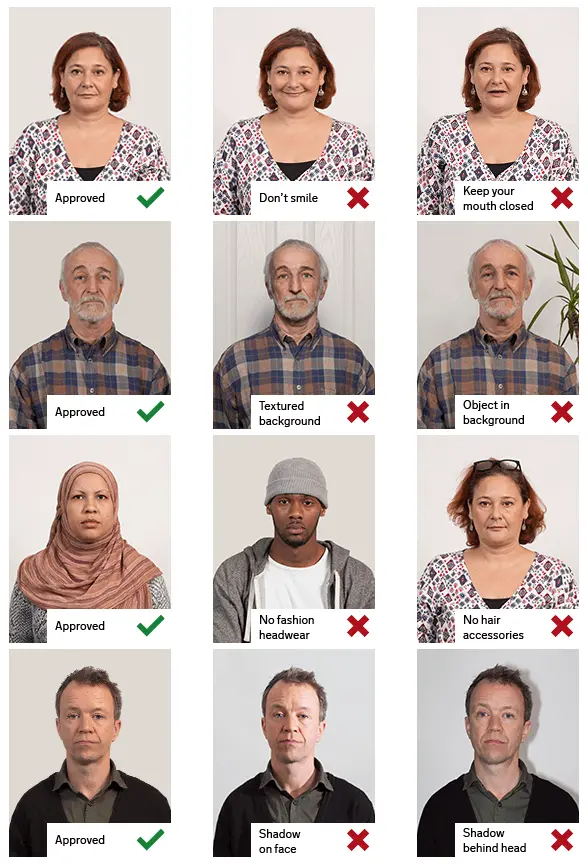
The expression must be neutral and the mouth must be closed. For very young babies, the rules are more flexible, but the mouth should only be slightly open.
The eyes must be open and not squinting. This also applies to small children.
The face must be fully visible and must not be covered by hair, accessories, glasses, or reflections. If glasses are worn, the frames must not cover the eyes or make the facial structure difficult to see. Tinted glasses or an eyepatch may only be worn for medical reasons.
A wig may be worn if it is used daily for medical reasons. It must not cover the face or eyes.
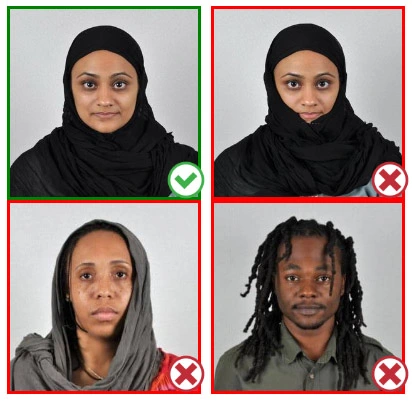
Head coverings are allowed only for religious, traditional, health, or medical reasons. They must not cover too much of the face or create shadows.
Make-up is allowed only if it does not make identification more difficult. Its acceptability is assessed case by case.
Background
A light grey background is recommended. The most important requirement is that the face, hair, and clothing are clearly distinguishable from the background.
The background must be:
- Plain and flat
- Light and neutral in colour
- Free from shadows
- Free from other people, objects, or visible support items
The subject must stand out clearly from the background. The background must not be lit so strongly that reflected light reduces facial contrast or creates a glowing outline around the person.
If you want to make passport/visa photos for other countries, click the button below.
Make Passport/Visa Photo for Other Countries
How to make Aland Islands Passport photo online
Step 1: Take a picture with a digital camera or a smartphone
Make sure someone takes your passport photo for you. Selfies are not accepted. Make use of your tripod if you have one. By using a tripod, you will be able to keep the camera level and steady. Ideally, the person should be around 1 meter away from the camera.
Step 2: Choose a venue with appropriate lighting
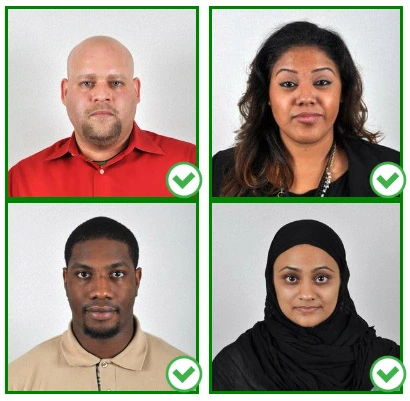
Face a bright window or the door when taking a photo. In this way, shadows can be avoided on the face and in the background. It is essential that the face is evenly lit. Ensure that the face is free of shadows and glares.
Note: You do not need to worry about the background, since our online passport photo generator will automatically do it for you.
Step 3: Dress appropriately for your passport photo
Uniforms should not be worn. Put on regular street clothes for your photo.
Eyeglasses should not be worn. You should remove any sunglasses, tinted glasses, or glasses that you wear if you are taking a passport photo.
Ensure that your face is fully visible. Make sure your hair doesn't cover your face or obscure your eyes. In the case of very long bangs covering your eyebrows, pin them back with bobby pins. Although it's better to show your ears as well, that won't stop your photo from being accepted.
Passport photos don't allow hats unless they're religious headgear such as a headscarf or yarmulke.
Step 4: Pose for a passport photo
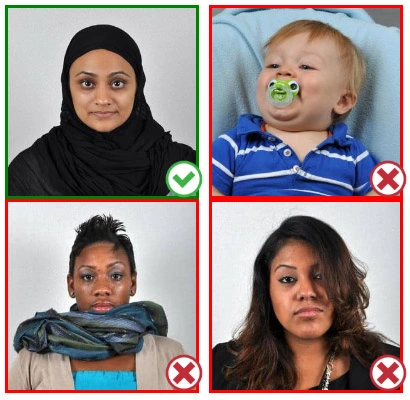
Face the camera straight on and look straight at it. Avoid tilting or rotating the head.
It is important that the shoulders are visible, and there should be enough space around the head to crop the picture.
Make sure the camera is at the same level as the head.
Step 5: Maintain neutral facial expressions
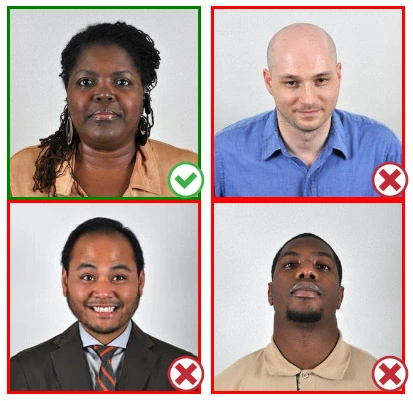
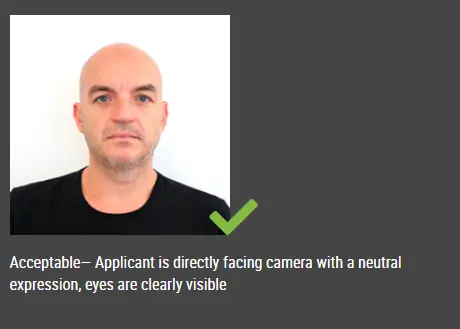
The government prefers you to have a neutral facial expression.
Under the new international passport rules, it is usually not acceptable to smile or have your mouth open.
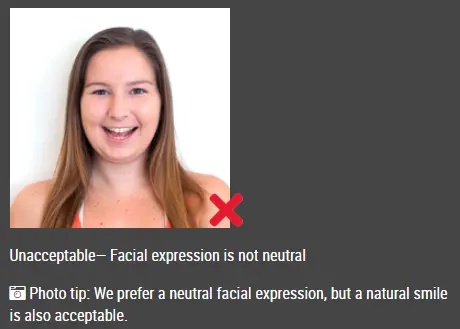
Good and bad examples of passport photos